Front Door 24 thinks, responds and behaves like you.
24/7/365. Have the world land in your pocket.
Your customers get answers you wrote or approved — served word-for-word, any hour. When it doesn’t know, it says so — and works it out with you before anything sends. Every answer you approve, it keeps — and, when you choose, serves the next time, in your words.
The link goes anywhere a link goes: your bio, your listing, your checkout, the description under your video, your shop window.
Try it now ↑A hosted demo: an outside AI provider writes each reply from our published answers. Please don’t type anything confidential. The app itself thinks on your device.
Every question waits for you · Never repeat yourself
Your customers get answers. You stop repeating yourself.
Front Door 24 is your front desk that never clocks out. It can answer your customers’ hours, prices, and policies the moment they ask — in your voice, from what you approved — so the same questions stop landing on you. Set it up by taking a few photos of what you already have.
Your storefront, as a link
Want a storefront? Here’s a link.
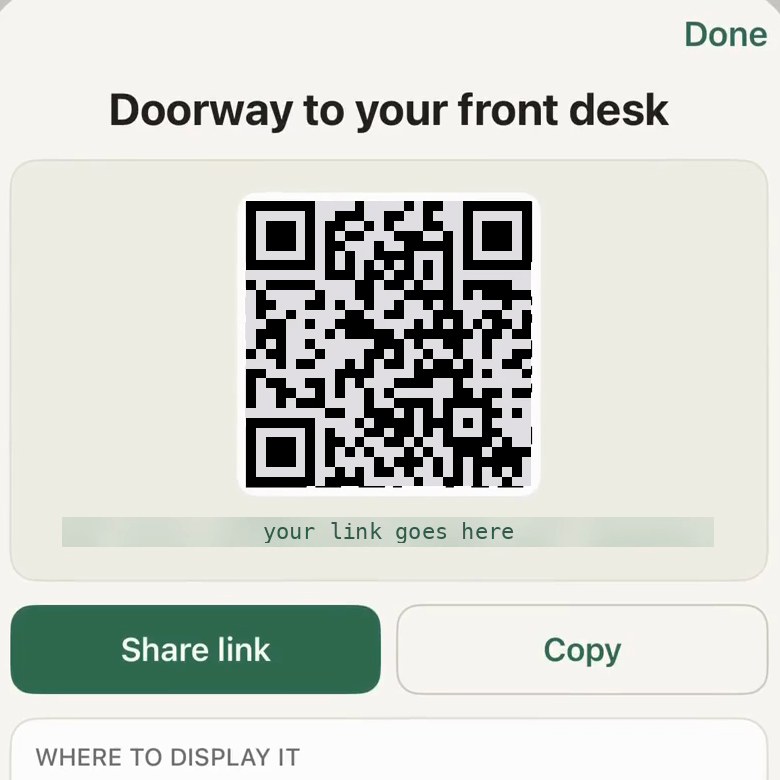
It’s your link and inbox — not a phone line. The app hands you both the link and a QR code, ready for the counter, the window, or the receipt.
What is Front Door 24?
Front Door 24 gives you a link people can use to ask questions any time, day or night — customers of a shop, clients of a practice, students of a tutor, buyers of an online shop, followers of a creator. A short, fixed list of messages, like a greeting or a thank-you, answers on its own from words you wrote; anything new waits until you’ve approved it.
What are your hours?
Our front door is open 24 hours — ask anything, any time. Small courtesies answer straight away from words we already wrote; everything else waits for a person to approve it before it goes out. During invite-only early access we run on best effort — there is no uptime guarantee.
Do my customers need to download anything?
Your customers just open your link — a tap in a bio, a click on a listing, a scan in the window. It works in any browser, with nothing to install.
What happens when it doesn’t know the answer?
It doesn’t guess. It holds the question and brings it to you. Teach it once, in your own words, and from then on that question gets your answer, exactly as you wrote it.
What if the desk gets something wrong?
Tell the business. The answers are theirs, and they can change one in the app so the wrong wording never goes out again. Anything the desk isn’t sure of it holds for a person instead of answering.
How long does a question wait?
Your customer is told where it stands at every step. The alert to the owner’s phone is best effort and isn’t retried, so a question waits in the queue until the owner opens the app. One still unanswered after 14 days is closed, and your customer is told that too.
What devices does Front Door 24 run on?
Front Door 24 runs on iPhone 12 Pro Max and newer iPhones with 6 GB of memory or more, and on iPads with an M1 chip or later. Newer iPhones and iPads have faster chips, so the desk answers more quickly on them. In the standard On this device mode it thinks on your device, so your knowledge stays private and the thinking needs no internet connection. Customers never need the app or any particular phone; they just use your link.
Who is Front Door 24 for?
Restaurants, salons, shops, studios, offices, tutors, practices, online shops, creators — anyone whose customers come with questions — the everyday ones and the curveballs, at any hour.
Are you open Sunday?
Sunday, 10 to 4.approved answer
Do you take walk-ins?
We do, before 4 — after that it’s by appointment.approved answer
Can you fit a bridal party of six on Saturday?
Got it — checking that with a person for you now.held for a person
Teach it with a photograph
Want it to know your business? Take a picture or upload a document.
You bring what you know. It brings the first draft. Add a PDF or a manual the same way — then ask it what a customer would ask, reword what isn’t right, and teach it again. That loop is how the answers become yours.
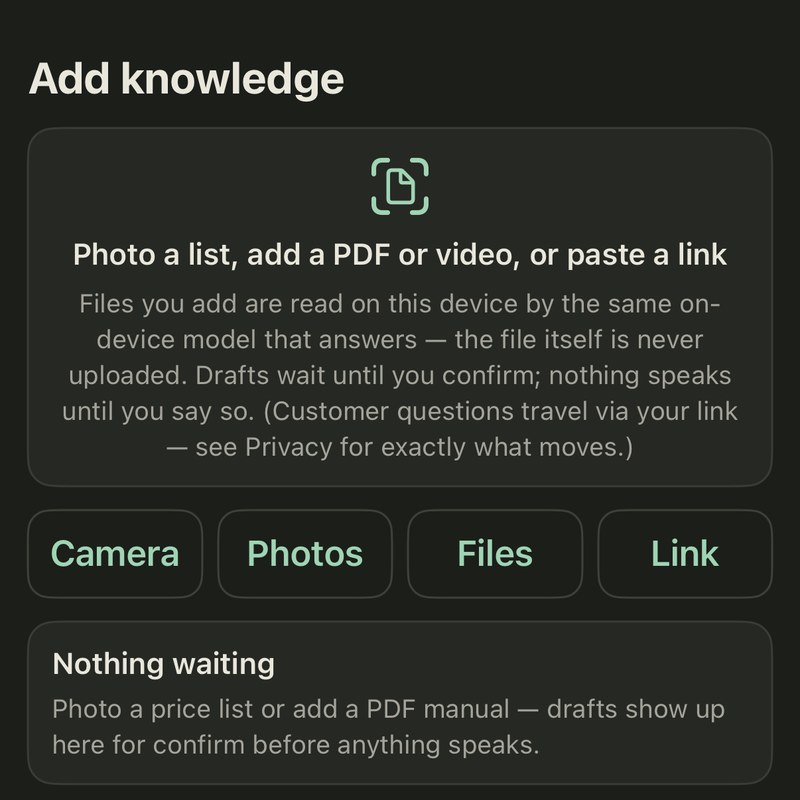 One
One
Take a picture of what you already have.
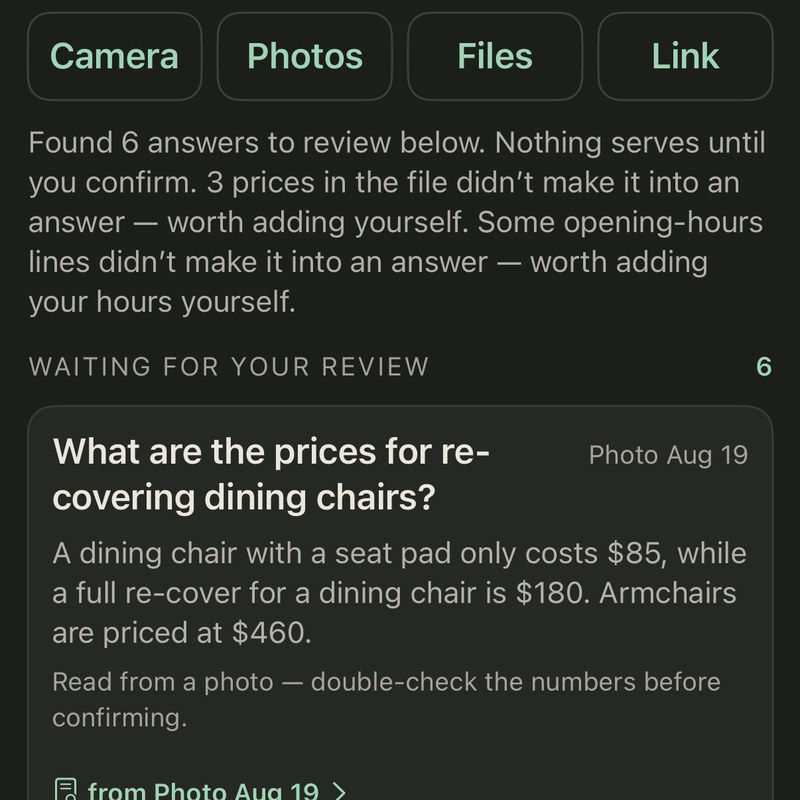 Two
Two
The app reads your inputs and drafts the answers for you.
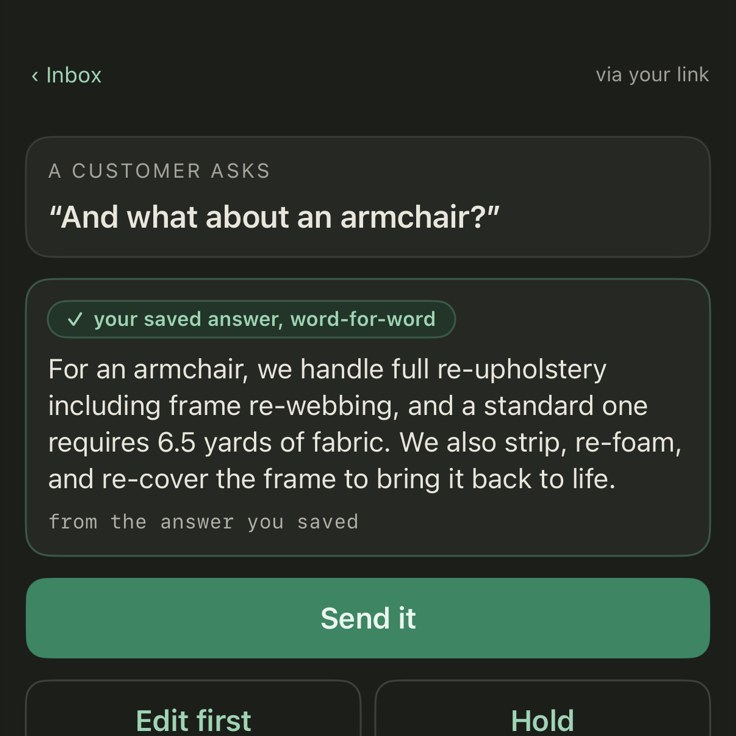 Three
Three
Review, edit, and approve — nothing goes out without your approval. It can be wrong; that’s why you check.
 Four
Four
A tap in a bio, a click on a listing, a scan in the window — customers get answers in your own words.
Day to day
Three steps.
No app for your customers. No complicated setup for you.
Put your link out
Share your desk’s link — or the QR code the app makes for it — wherever customers already look: the window, the counter, your bio.
A customer asks
They tap and ask in any browser — nothing to install, no account. Taught questions can get your approved words on the spot.
You tap Approve
Anything new waits for you. Approve it once and — when you choose — the desk serves it word-for-word from then on.
Right, or silent.
Front Door 24 never sends a guess. If a question doesn’t clearly match something you’ve taught it, the desk holds it and brings it to you rather than answering. It can draft from your own words to save you typing, and a draft never reaches a customer until you approve it.
Teach it once, in your own words, and from then on that question gets your answer, exactly as you wrote it.
If someone asks the same thing in a new way it doesn’t recognize, it holds that one for you too — so every gap becomes something to teach, rather than a guess sent to a customer.
Under the hood, briefly
It thinks on your own device.
You don’t have to know what’s under the hood. You drive. It runs on your own iPhone (12 Pro Max or newer, 6 GB of memory or more) or iPad (M1 or later). Cloud thinking is optional and off by default: switch it on and your questions go to an outside AI provider on your own key — what that sends.
Can customers reach my desk through iMessage or WhatsApp?
The desk itself is already built — it thinks on your own device and answers from what you’ve taught it. Today customers reach it through one door: your link, which works in any browser. Other doors — iMessage, WhatsApp, Instagram, a private local network, an API — aren’t open yet, and none are promised: custom doors are real engineering, with development time, cost, and a proper security review for your business. If a particular door matters to you, tell us which one and how to reach you, and the founder will tell you exactly what it would take.
Is my business data private?
Your taught knowledge is stored on your own device, and we never sell it or use it to train anything. In the standard On this device mode, nothing you teach is uploaded. What does travel is your customers’ messages, any callback details they leave, and your phone’s alert token — the full list is on the privacy page. With Cloud thinking on, each question and the parts of your answers needed to reply are sent out to be written.
What happens to my answers if I stop using Front Door 24?
Your answers are yours, and you can take them with you. Front Door 24 seals everything you’ve taught it into a single file that opens with its code — anyone holding the file and the code can open it, so share the code carefully. You save it wherever you keep your own backups. If you ever stop using the app, that file is still yours and it still opens. You can export a fresh copy whenever you like — worth doing after a big teaching session.
Does it cost more if I get more questions?
Pricing isn’t set yet — early access is free. In the standard On this device mode, the thinking happens on your own device, so more questions don’t add an AI charge per question. If you switch on Cloud thinking, each question is charged to your own account with the AI provider.
What AI model or technology runs under the hood?
In the standard On this device mode, it’s a compact open-weights AI model running entirely on your device, in a custom setup built for one job: your front desk. No cloud account, and no third party’s servers doing the thinking — your knowledge, your answers, and the model’s work all stay on hardware you own, and everything exports to a sealed file that’s yours to keep. It answers only from what you’ve taught it, and nothing it writes reaches a customer until you approve it. Want the deeper technical detail? Email us — we enjoy those conversations.
The covenant
Your data. Your device. Your control.
On-device thinking
In the standard On this device mode, the AI runs on your own device — nothing is sent away to think.
On-device storage
Your taught knowledge is stored on your own device, never sold, and never used by us to train anything. With Cloud thinking on, the parts behind each answer are sent out.
Nothing new sends unapproved
A short, fixed list of messages — a greeting, a thank-you, a goodbye and a few more (the full list) — answers on its own from words you wrote. Anything new waits for your Approve — and any answer you’ve approved can be set to serve itself from then on, word-for-word.
Never sold, never traded
No ads. No selling your data. We never use your knowledge to train anything.
For regulated businesses
Not a regulated business? Skip this part.
Working under compliance regulations? Read this.
In the standard On this device mode, Front Door 24 keeps your knowledge — and the thinking itself — on your own device. Whether your rules are HIPAA, FERPA, or your own industry’s, here is what that covers — and where it stops.
The off-grid mode
The link is optional — the desk runs fine with it off. With the link off, customers can’t reach it at all: it answers only the person holding the device. Teach it from photos, keep it behind the counter, pass it hand to hand like the clipboard it replaces. After one-time setup it runs with no internet connection in the standard On this device mode: nothing goes out and nothing comes in (only an app update ever needs the network again). Cloud thinking needs the internet, so leave it off for air-gapped use. One honest note: like any iPhone or iPad it can back itself up to iCloud, and your answers would ride along — so if they must never leave the room, keep backups off and give the device the same lock and custody as the file it replaces.
When the link is on
Your desk keeps its conversations on your own device, as long as you like. Keep Cloud thinking off here: while it is on, every question goes to an outside AI provider. Our relay is only the courier: questions travel over standard web encryption (HTTPS), and the courier keeps little, and not for long — an unclaimed question is deleted after 14 days, a conversation’s record after 90, an alert that failed to send keeps an 80-character preview for 30, and a customer’s callback details stay until you delete them (up to the latest 500). Built for what a desk answers in the open — hours, prices, policies. Keep regulated records out of the link until a signed agreement exists; charts and case files belong in your systems of record. Stricter clocks? The engagement next door.
By engagement
Signed agreements (BAAs), an encrypted compliance-grade relay, audit trails — designed, not downloadable. That tier is built with a partner and stress-tested where they actually run: requirements, timeframe, budget, then the build. Teams on one desk, more channels, more languages — same path. One message starts it; the founder reads everything.
Compliance lives in your practices, not in any app — and this page isn’t legal advice.
The owner’s side
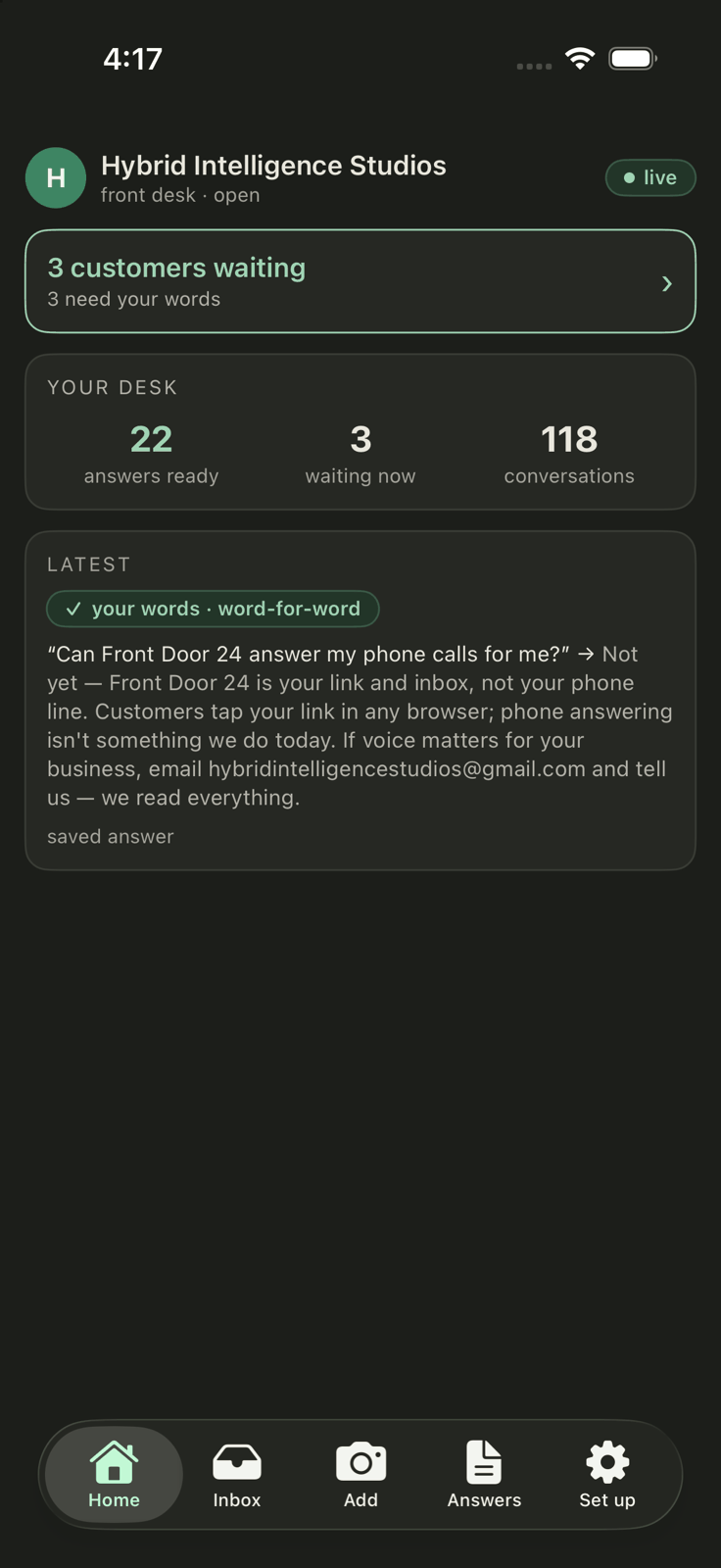
Everything in one place.
Your inbox, drafts, and knowledge — all on your own device.
Where it lives
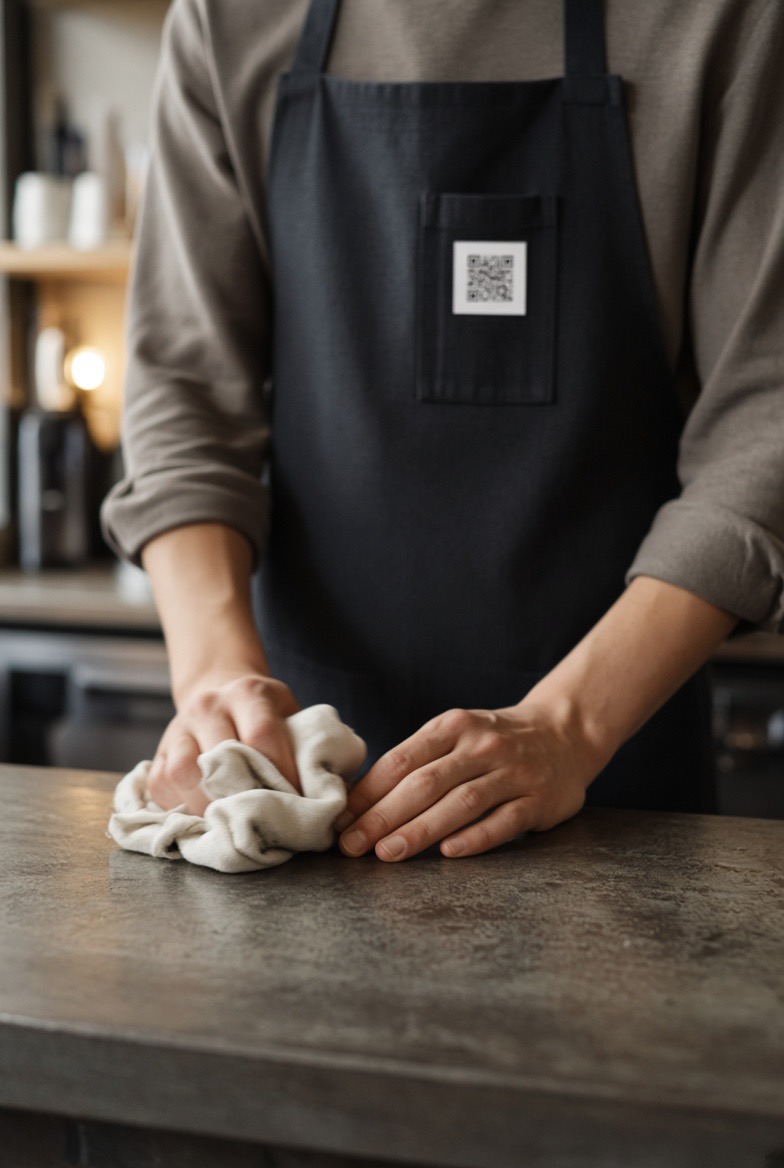
Where does the square go? Wherever people already look.
The app generates the QR code for your digital doorway. Print it, stick it, post it — behind it, your link is open around the clock, answering the everyday questions on its own from the words you approved, and holding anything new for you. The square in each picture is where yours goes.
The pictures below are AI-generated images, not photographs.






And online — where a picture is allowed, it’s the code; where a link lives, it’s the link — check each platform’s own rules before you post one
- YouTube
- X
- Snapchat
- TikTok
- Shopify
- Etsy
- Amazon
- eBay
- Yelp
- Facebook Marketplace
- Telegram
- Discord
- Messenger
- Delivery apps
More places, and the shops it fits
- Said aloud. The radio spot, the podcast read, the voicemail greeting: “ask us anything at …” — the link is short enough to say.
- Tapped. An NFC tag under the counter card, on the product tag, on the van door — the same door, a tap instead of a scan.
- On a screen you control. Your phone propped on the counter, the digital menu board, the waiting-room TV, the livestream overlay, the last slide of a talk.
- In what you already send. The email signature, the newsletter footer, order and shipping emails, booking confirmations, the receipt and the invoice, the PDF menu, the show notes.
- Where people look you up. Google Business, Apple Maps and Yelp; the YouTube description and end-card; the bio link, a pinned post, a story sticker; the Airbnb house manual.
- While you’re closed. Paste the link into your WhatsApp away reply, your iMessage or SMS auto-reply, the pinned welcome in your Telegram, Discord or Slack.
- On the move. The van door, the food truck, the bike trailer, the market stall, the counter card beside the card reader.
- Who it fits. The salon, the café, the surf school, the maker on Etsy, the gallery, the food truck, the short-let host, the tutor, the tradesperson — any business with one owner and no front desk.
- Standalone, off the grid. Switch the link off, keep Cloud thinking off, and the desk runs with no internet at all — a tablet behind the counter loaded with the equipment manual, passed hand to hand, answering what it was taught. Want it in a bigger body, a lobby screen that knows the building’s rules, a machine that answers for itself? Built with you, one at a time.
- Inside your own walls. The staff handbook, the opening checklist, the “how do I” a new hire asks ten times a week. Approved once, answered the same way every time, and the owner stops repeating themselves.
A front door that opens for everyone.
A front desk you can text beats one you have to call: customers who are deaf or hard of hearing, or who find phone calls difficult, get the same answers as everyone else — in writing, any hour. The demo above can also speak its replies aloud, at the pace you choose, and this page respects your device’s reduced-motion and higher-contrast settings.
The app holds the same standard. It is built for VoiceOver: every control on every key screen carries a spoken label, and we check that with Apple’s own accessibility audit, in light and dark. Text follows the size you’ve set on your device, and status is never shown by color alone — every state carries a symbol and words. We build to WCAG 2.1 AA as our working standard and test against it ourselves. We claim no formal conformance yet and have no VPAT. If any part of this is hard for you to use, tell us: that note goes straight to the founder.
Early access
The first shops get set up personally.
A few photos, your approvals, your link — and the first hello answers itself. Seats in the first group are limited — leave your email and we’ll reach out. Free during invite-only early access; pricing comes later, through the App Store.
The desk runs on your iPhone (12 Pro Max or newer, 6 GB of memory or more) or iPad (M1 or later) — your customers just use the link, on any phone.
Your email and note go to the founder and get used for one thing — answering you. We build no marketing list and sell nothing. Your message is kept for 30 days and then deleted automatically; the privacy page lists everything kept with it.
✓ Got it — we’ve got . The founder reads every request and will write back.
Our desk couldn’t be reached just now — nothing was sent. Please try again in a moment.
No spam · nothing sold · where it is kept